
/filters:quality(90)/fit-in/970x750/coros-web-faq/upload/images/5381534ee1b3405c005d73a7e3ecea8a.png)
The COROS App gives climbers a more powerful way to review and analyze your outdoor climbing sessions. These new tools offer deeper insight into every phase of your climb, allowing you to build a more detailed and usable training log. Here’s what’s new and how to make the most of it.
Climbing Statistics
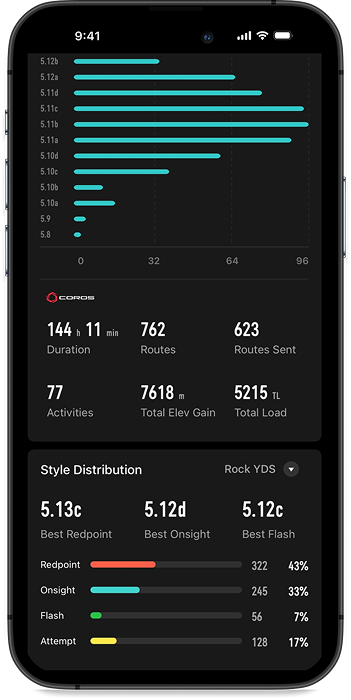
For a bigger-picture view of your progress, the COROS App now makes it easy to access your climbing history.
Simply tap the “Statistics” button at the top right of your Activities page. From there, filter for Outdoor Climb to see an overview of all your climbing sessions within any timeframe you choose.
This feature allows you to:
- Track long-term progress
- Compare performance across weeks, months, or seasons
- Identify trends in volume, grades, and consistency
It’s the perfect tool for taking a step back to see how far you’ve come.
Session Overview
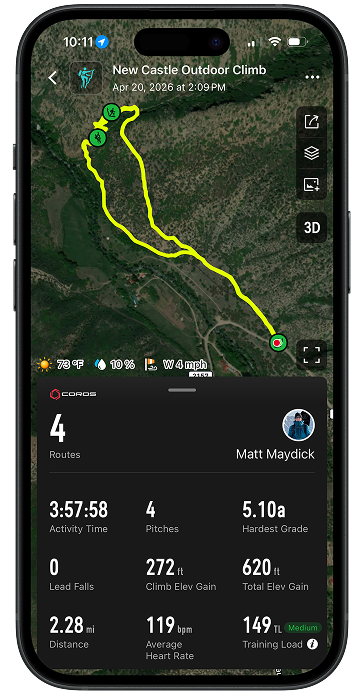
In an individual activity, the Overview section puts all your key stats into a clean, easy-to-read snapshot. Instead of digging through multiple screens, you can now understand your entire day at a glance.
You’ll see:
- A map showing your approach, climb, and descent
- Number of routes climbed
- Total activity time (approach, climbing, and descent combined)
- Hardest grade of the day
- Automatically detected lead falls
- Climb elevation gain (vertical on routes)
- Total elevation gain (hiking + climbing)
- Distance covered
- Average heart rate
- Training load
This quick summary answers the questions every climber asks after a session: How hard did I push? How much volume did I get? Where did I improve?
Break Down Your Effort, Moment by Moment
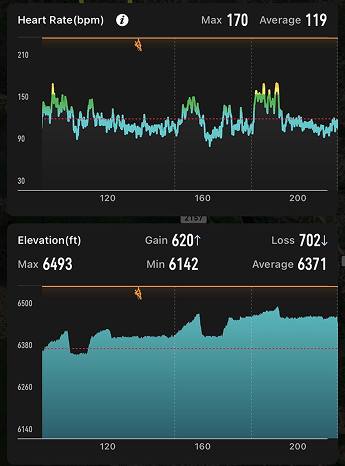
The detailed Breakdown section dives deeper into how your body performed throughout the session.
Now you can:
- Track heart rate across approach, climb, and descent
- Identify peak exertion during specific routes or crux moments
- Analyze elevation changes with a detailed vertical profile
- See markers of when you began or ended your routes to get a better perspective of your climbing vs resting phases.
This level of detail helps uncover patterns in your performance. You might notice your heart rate spikes during crux attempts or that endurance drops late in the session. Those insights can help you know how to adjust pacing or target specific things in training.
Understand Your Climbing Grades and Style
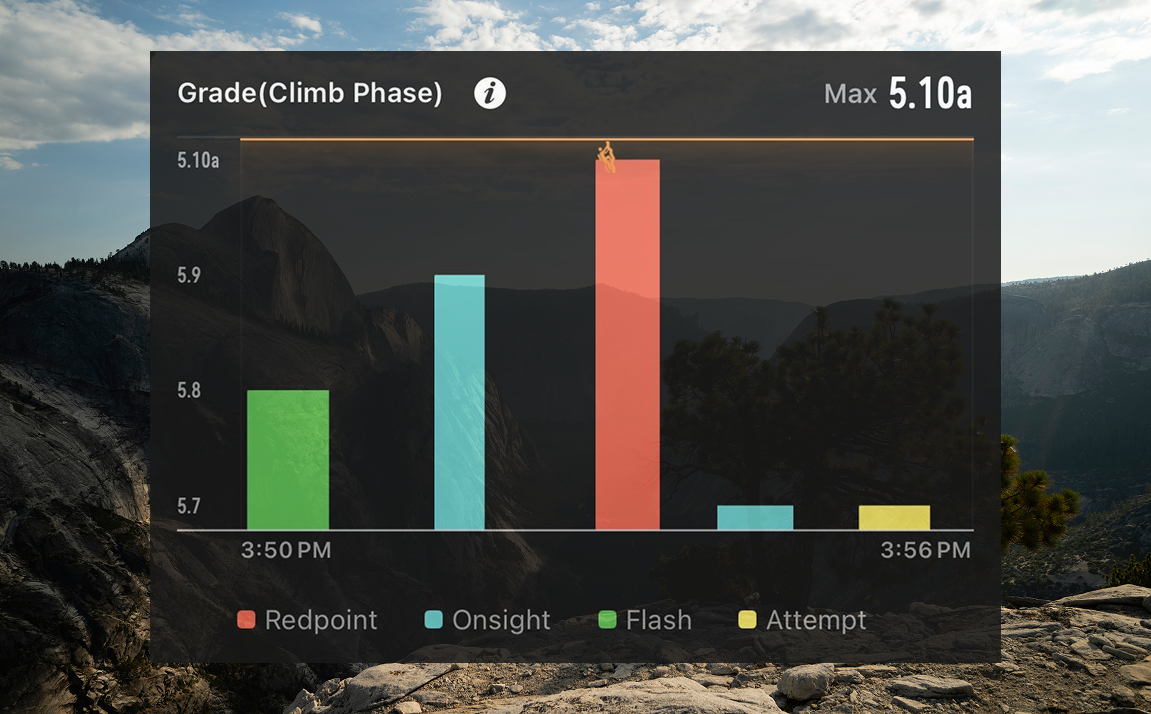
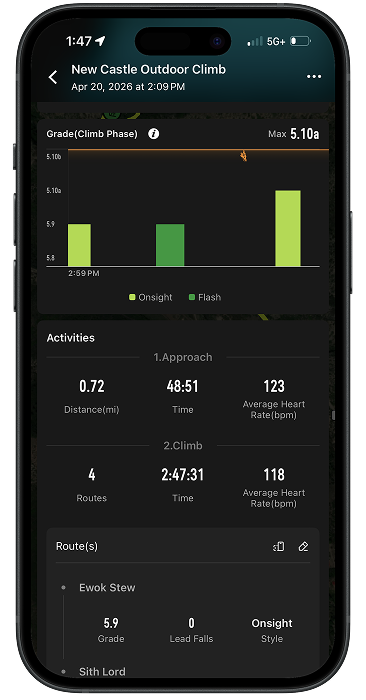
With the Grade Breakdown feature, you can now analyze what you climbed and how you climbed it.
You’ll be able to:
- See the distribution of grades from your session
- Track climbing styles such as: Redpoint Onsight Flash Attempt
Over time, this data paints a clear picture of your progression. Are you converting more attempts into sends? Are your onsights improving? This is where trends start to emerge.
Activity Breakdown: Relive the Full Journey
The Activity Breakdown organizes your day into three distinct phases, giving each the attention it deserves.
Approach
Track distance, time, average heart rate, and view your route on a map. This helps you understand how your hike in may impact climbing performance.
Climb
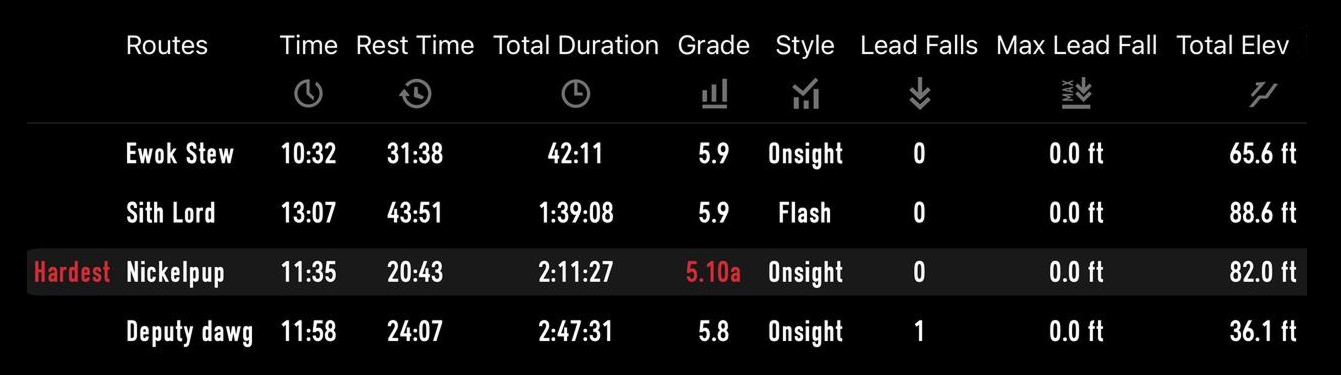
This is where the detail really shines. Each route includes:
- Grade
- Lead falls
- Climbing style
You can also edit and customize routes after your session (add route names and refine details), making it easier to revisit and track specific climbs over time.
Add Context with Perceived Exertion
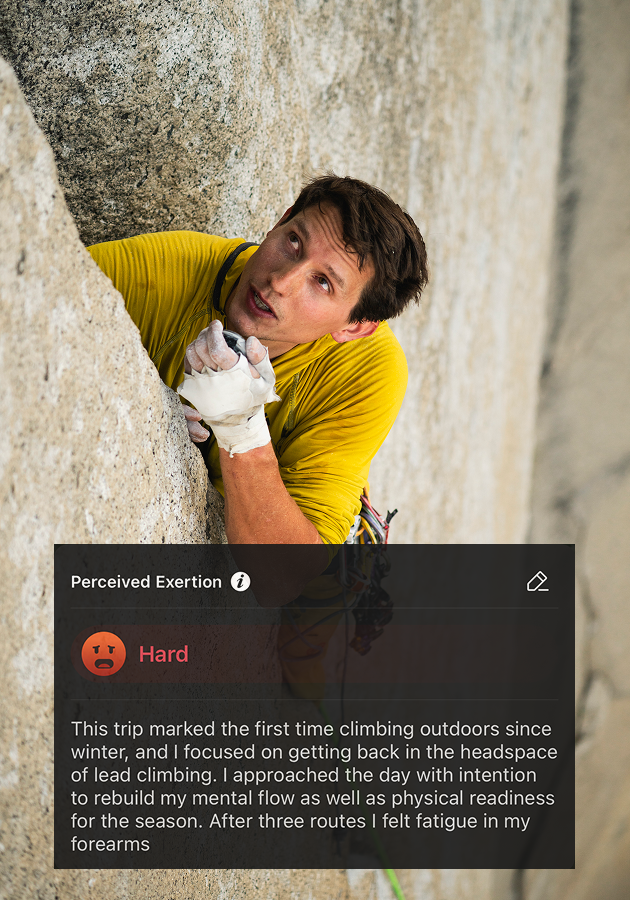
Anyone who tracks data long enough knows that subjectivity plays just as big of a role as the objective data.
With Perceived Exertion, you can log how the session felt:
- How strenuous was the effort?
- How did it impact your body?
Over time, this subjective input helps you better understand your training load and recovery needs, giving you a more complete picture than metrics alone.
Make the Most of Your Climbing Data
This update transforms the COROS App into a true climbing companion.
To get the most out of it:
Review your overview after every session to track progress.
Use heart rate and elevation data to refine pacing and endurance.
Log accurate route details so your history becomes more valuable over time.
Pay attention to perceived exertion to avoid overtraining.
Climbing is as much about learning as it is about sending. With these new tools, every session becomes an opportunity to improve.