/filters:quality(90)/fit-in/970x750/coros-web-faq/upload/images/acd0e017cf56197759302113b68adfb5.png)
Most runners check their watch for the same three things: distance, pace, and heart rate – but on the trail, that may not be enough. Trail running rewards the athlete who manages their environment as well as their fitness. Elevation, terrain, fatigue, and real-time decisions all carry weight because small mistakes can lead to big consequences.
Here are six features built into your COROS watch that help you run your best on the trails – and once you know they're there, it's hard to run without them.
1. Hill Alerts + Climb Details
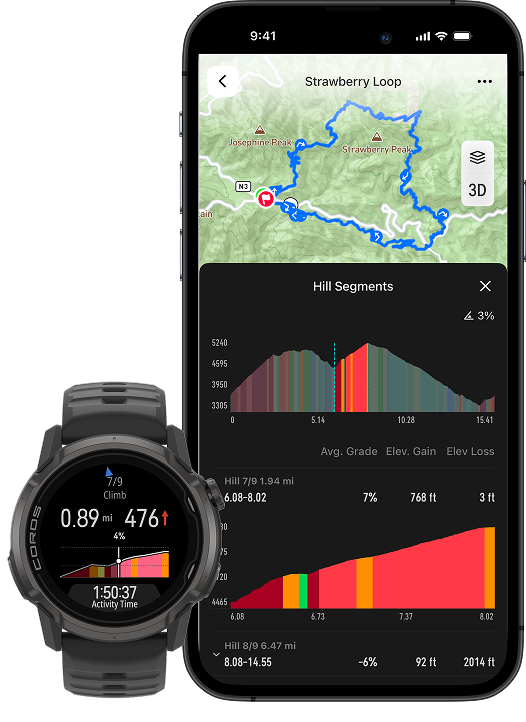
While navigating a route, your watch will alert you at the start of each significant climb or descent, showing the segment's length, elevation change, and average grade. A dedicated Hill Progress page shows you distance remaining, elevation remaining, and current gradient, updating in real time as you move through the climb.
In your COROS app, you can also preview a route's hill segments ahead of time when you view the route from the Explore page. Each climb is categorized and color-coded by difficulty, so you can know exactly when a long grind or flowy descent is coming, and when to prepare.
*Available in Run, Trail Run, and Hike mode
Learn more about Hill Alerts →
2. Back to Start
Exploring a new trail gets complicated after missing a turn or when all the trailforks start to look the same. Back to Start solves this without requiring a pre-loaded route or cell service.
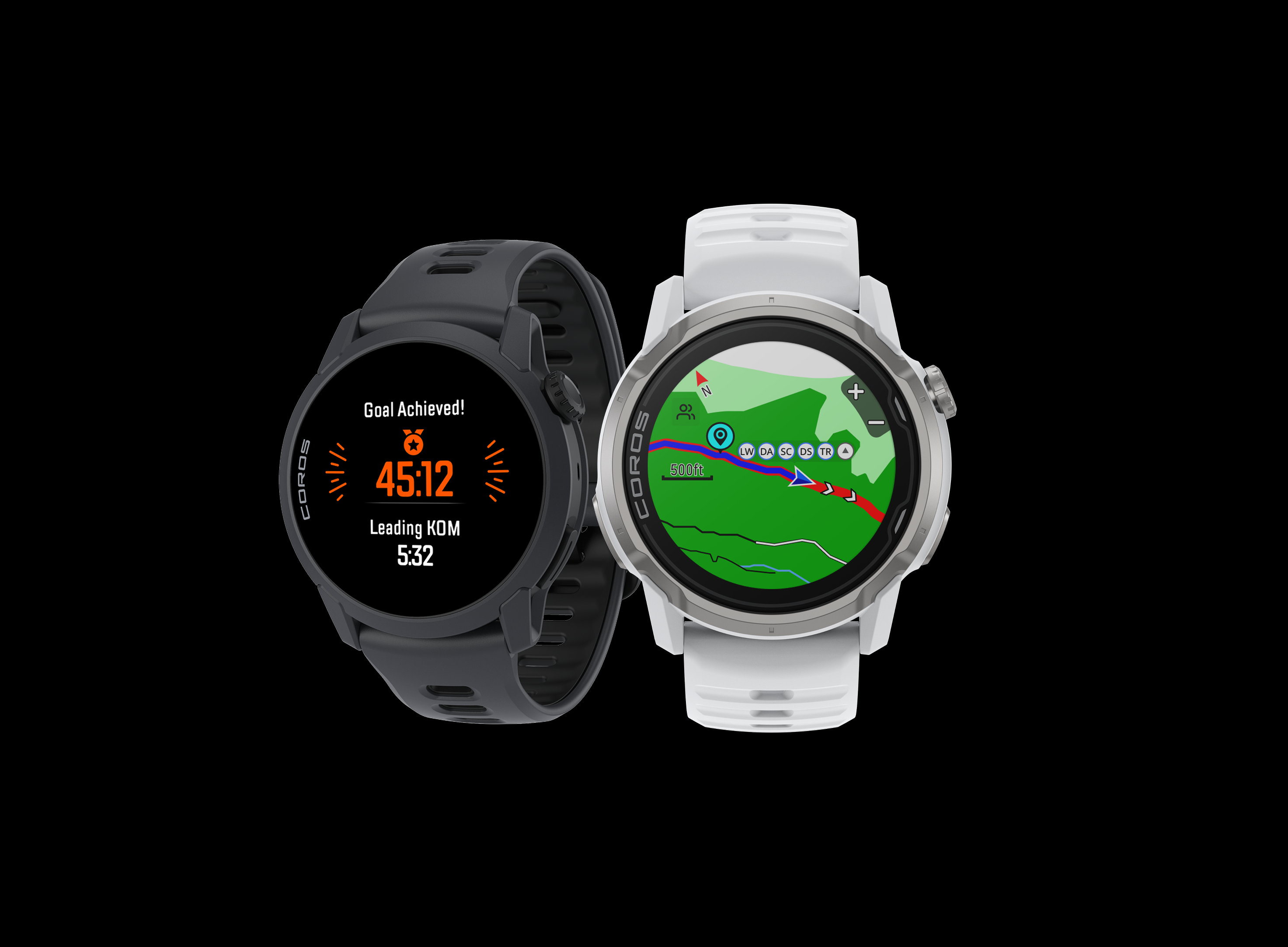
At any point during your trail run, long-press the Back button, scroll to Navigation, and select Back to Start. Your watch retraces your GPS breadcrumb trail and guides you back the way you came.
Have greater peace of mind knowing your watch can get you back to where you started, anytime.
Learn more about Back to Start →
3. Safety Alerts
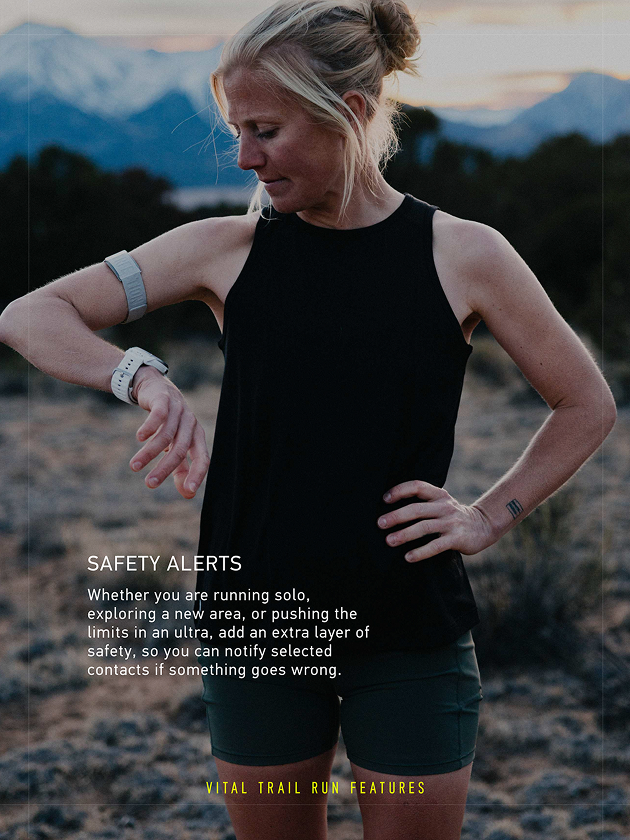
Trail running comes with a host of unknown variables - especially when you're running solo, exploring a new area, or pushing the limits in an ultra. Add an extra layer of security with Safety Alerts, so you can quickly notify your loved ones if something goes wrong.
When you add an emergency contact in the COROS app, they can receive an automatic email with a live tracking link every time you start an outdoor activity. If things take a turn mid-run, hold down the dial for seven seconds. Your contact receives an SOS text with your exact GPS coordinates and a link to follow your location in real time, updating as you move.
To set up, go to the Profile page in the COROS app, select Safety Alerts, and add someone from your phone's contact list.
Note: Safety Alerts require your watch and phone to be connected via Bluetooth and have cell service to send the alert. Emergency services will not be notified; only the emergency contact(s) specified in your COROS app.
Learn more about Safety Alerts →
4. Pace Strategy
Trail pacing is a different beast than pacing on the roads.
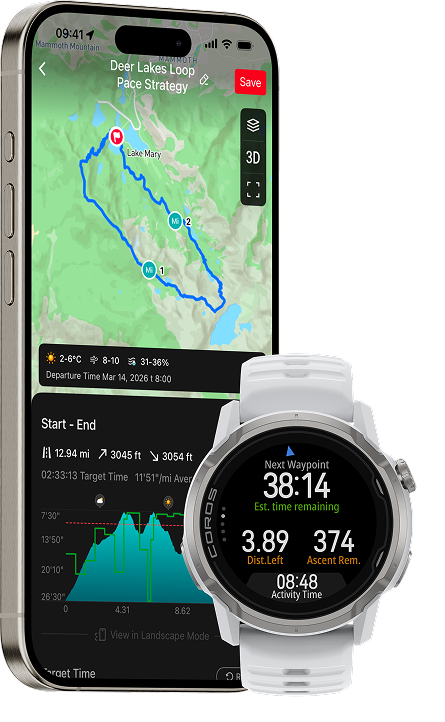
To take out some of the guesswork, Pace Strategy builds an elevation-adjusted plan directly from your route. Select any saved route in the COROS app, set your target finish time, and the app generates a dynamic segment-by-segment pacing plan calibrated to the elevation profile and your current fitness level. You can then fine-tune stop times at individual aid stations and view forecasted weather by segment.
On the watch, dedicated data pages show your current target pace, estimated finish time, and how far ahead or behind your plan you are. Receive alerts as you approach each waypoint, then see how much time you've spent there - useful for crew-assisted races where aid station time adds up fast.
Your Pace Strategy adjusts as you move faster or slower through the course, and after finishing, you can view a detailed analysis in your COROS app to see how you stacked up against your goal time.
"What I am most excited about is being able to translate all the complexity of training and data directly into a practical guide on my wrist. Having the Pace Strategy will help me to nail that effort in these races to be able to give the maximum of my capacities, having less up and downs."
- Kilian Jornet
Learn more about Pace Strategy →
5. Create and Download Routes
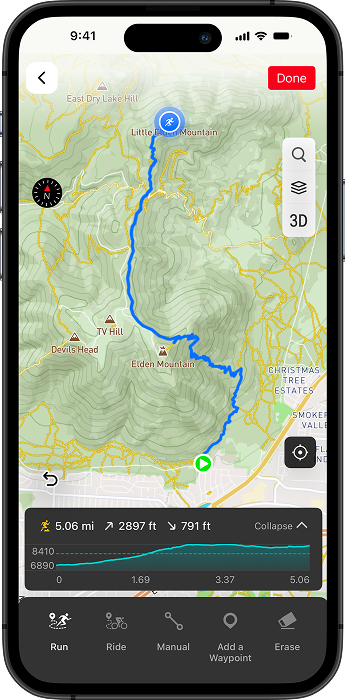
Get turn-by-turn directions, Hill Alerts, off-course alerts, and more when you sync routes to navigate on your COROS watch. This can be helpful not only when you're exploring a new trail network, but also managing your time and effort on known routes.
Routes can be imported, or created right in the COROS app. To build your own custom route, open the Explore page, select your sport type, and start plotting points to connect roads and trails.
You can also save a GPX file from a race website, or sync from third-party apps like Strava, Komoot, and AllTrails. Add waypoints for aid stations, water sources, or significant summits. Then sync the route to your COROS watch anytime - even mid-run - and start navigating.
Learn more about routes and navigation →
6. Custom Data Pages
On the trails, overloaded or generic data may be more distracting than helpful.
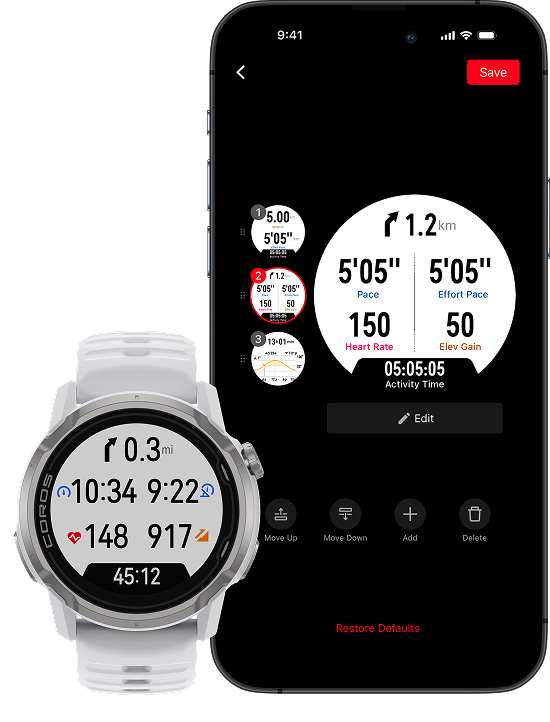
Customize exactly the data fields you want to see by opening COROS app to the Profile page, selecting your device, and choosing Activity Settings. Select Trail Run mode, and start building up to six data pages with the fields that actually matter for your runs: elevation gain, time to sunset, grade, effort pace, and more.
You can also update your data pages in the middle of an activity, directly from the app while your watch is tracking.
Pro tip: Choose "Turn by Turn" as one of your data fields, so you have a dedicated space for the next turn indicator and trail name while navigating a route.
Learn more about customizing data pages →
Laying the Groundwork for Success on the Trail
Individually, each of these features removes a specific variable from your day. Together, they change how you move through and across long stretches of trail. And on the longest runs and races, the difference between a good day and a bad one usually isn't fitness. It's how well you prepared and managed everything around it.